Roblox looks increasingly different depending on how old the platform believes a user is.
One major 2026 change is the introduction of two clearer account experiences for younger users:
Roblox Kids
and
Roblox Select
These affect game access, communication and parental controls.
What Is Roblox Kids?#
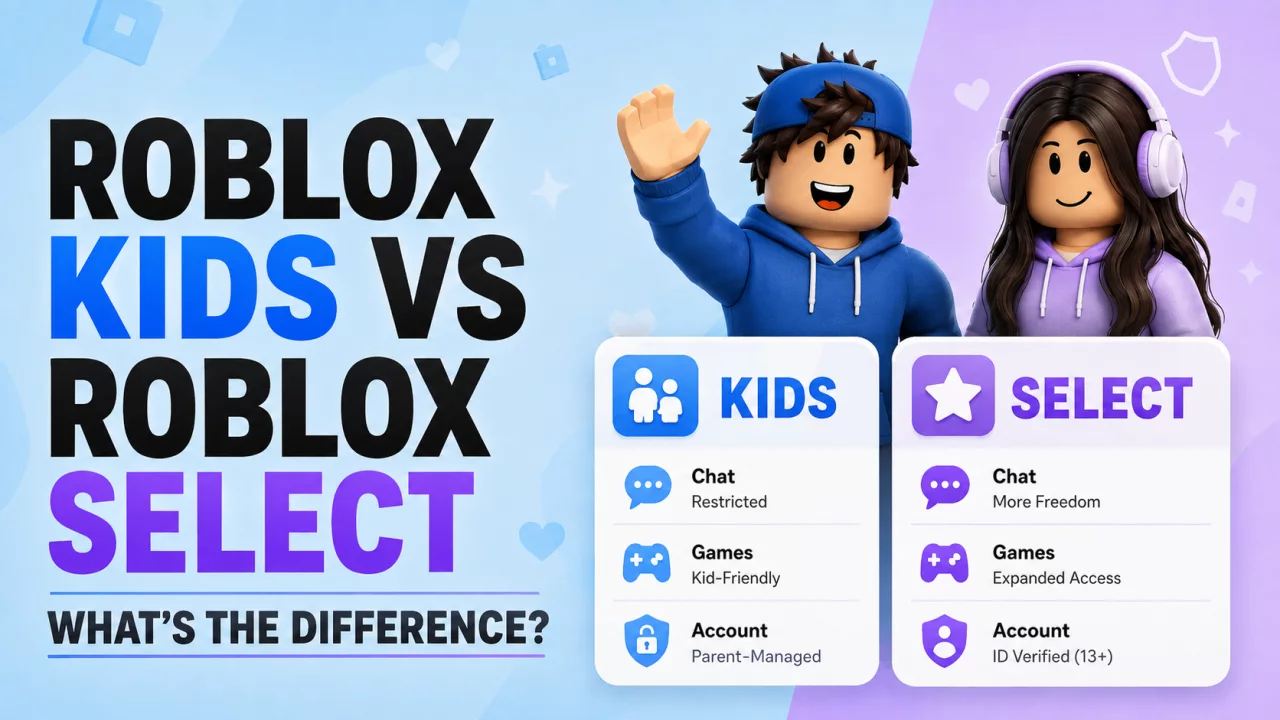
Roblox Kids is primarily designed around younger children.
It offers stricter default protections and a smaller age-appropriate game catalog.
Game access focuses on experiences with lower content maturity levels that satisfy Roblox's additional requirements for younger audiences.
Communication is also more restricted.
What Is Roblox Select?#
Roblox Select is aimed at older children and younger teens.
It offers a broader catalog than Roblox Kids and gradually expands available communication features.
Access can still depend on:
- age
- age verification
- country
- parental controls
- content maturity
Kids vs Select in Simple Terms#
The easiest way to think about them is:
Kids = stricter games + stricter communication + stronger parental defaults.
Select = broader games + gradually expanded social access.
Neither works exactly like the standard older-user Roblox experience.
How Does Roblox Decide?#
Roblox can use age information and age-assurance systems such as:
- Facial Age Estimation
- ID Verification where eligible
Age results increasingly determine what version of Roblox the user sees.
This is why an incorrect age estimate can suddenly affect both games and communication.
Game Access#
Roblox Kids generally focuses on lower-maturity experiences.
Select can offer a wider range of age-appropriate content.
Older age-checked standard accounts can access a broader catalog still.
If you suddenly cannot join a game your friend can play, read Why Can't I Play Certain Roblox Games?.
Chat Access#
Communication also changes by account type.
Kids receives the strictest restrictions.
Select gradually gains more communication features as users become older and satisfy Roblox's requirements.
Trusted Friends can also become important for communication.
Read How to Add Trusted Friends on Roblox.
Parental Controls#
Parents with linked Roblox accounts can manage eligible settings such as:
- screen time
- spending
- communication
- game access
- Trusted Friends
- content restrictions
The exact controls available depend partly on the child's age.
Why Did Roblox Create Different Account Types?#
A single default Roblox environment does not make equal sense for:
- a young child
- a teenager
- an adult
Roblox is trying to make accounts evolve more clearly with age.
That includes changing both:
- which content users see
- who they can communicate with
What If Roblox Put Me in the Wrong Type?#
If you should be on Select but Roblox displays Kids, the underlying age result may be wrong.
Read:
Why Am I on Roblox Kids Instead of Select?
and
Roblox Age Verification Wrong Age.
Use Roblox's official correction process rather than trying to bypass restrictions.
Frequently Asked Questions#
What is Roblox Kids?#
It is the more restricted Roblox account experience aimed at younger children.
What is Roblox Select?#
It is a broader age-based Roblox experience aimed mainly at older children and younger teens.
Does Select have more games?#
Generally, yes.
Does Roblox Kids have chat?#
Communication is much more restricted and can depend on parental controls and region.
Can parents control game access?#
Eligible linked-parent accounts receive controls for younger users.
Final Thoughts#
Roblox Kids and Roblox Select are designed to make the platform change as a user gets older.
Kids has stronger restrictions.
Select provides more freedom.
Then older age-checked accounts receive broader Roblox access.
If the account type looks wrong, check the age result first.


